When it matters
Five moments where ItemRecover earns its keep
Business owners don't get excited about features. They get excited about what happens when the bad thing happens. Here's what today looks like — and what 30 seconds looks like.
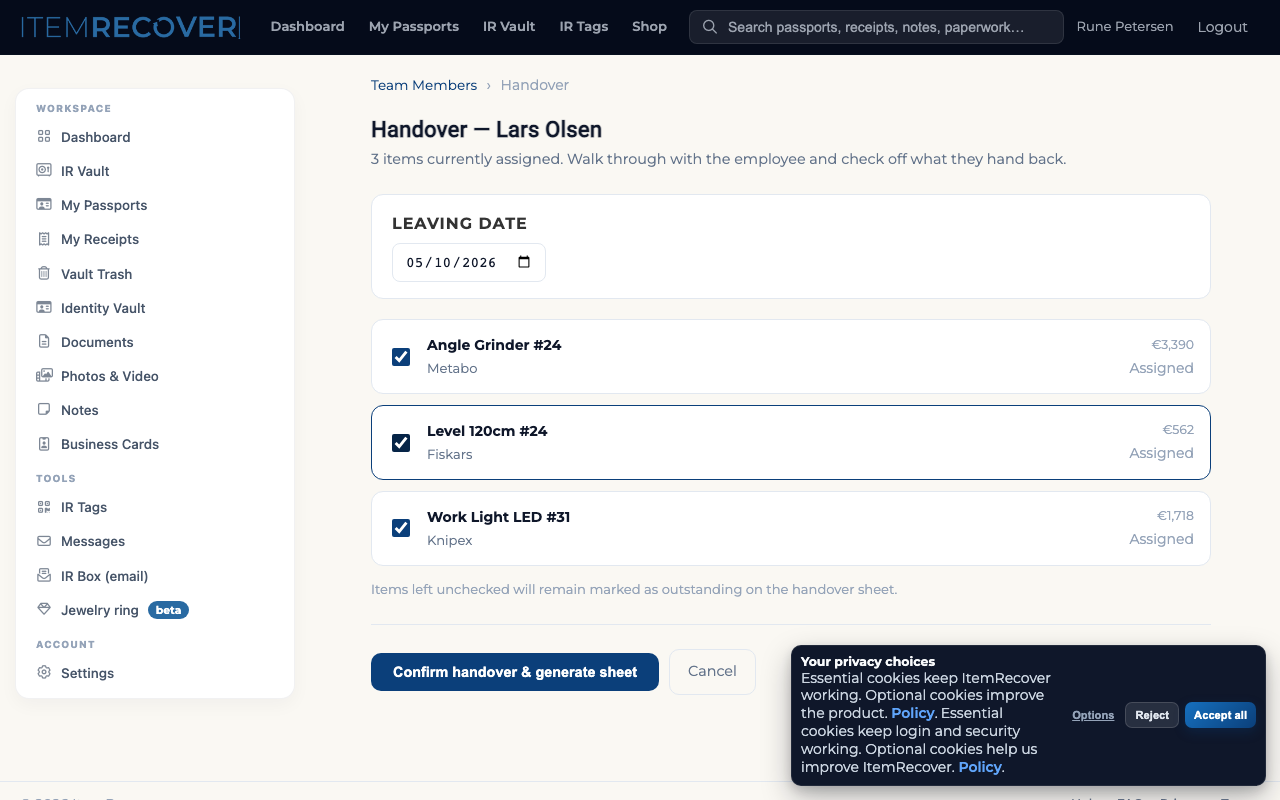
Moment 1 — Employee leaves
"Lars is leaving Friday. What do I need back?"
Today
Email chain. "Did you get the iPad back?" Spreadsheet check. Missing impact driver found 3 weeks later.
With ItemRecover
Click "Mark Lars leaving." 7 items shown with photos and values. Done in 6 minutes. PDF handover sheet emailed to both.
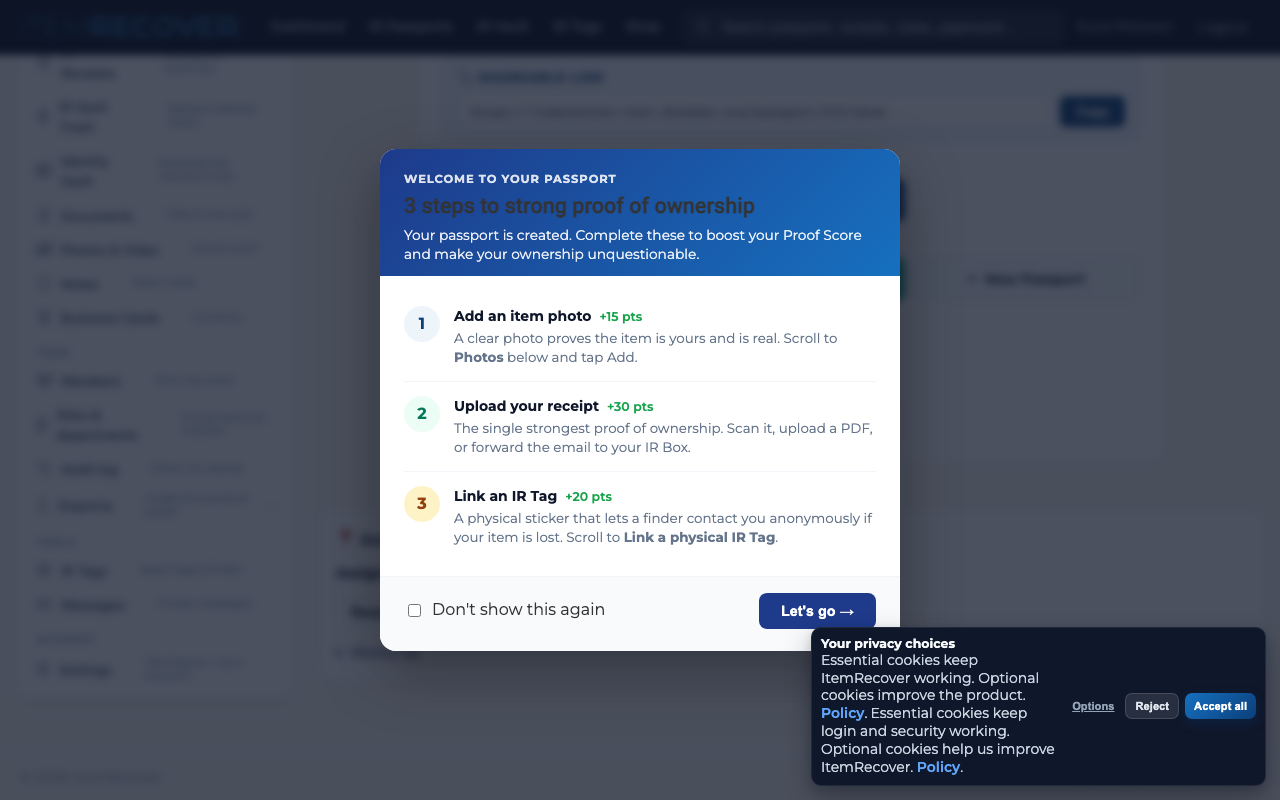
Moment 2 — Tools stolen from the van
"Someone broke in. Mike says €18K of gear is gone."
Today
Camera roll archaeology. Receipt hunt in inbox. Insurance asks serial numbers. 3 weeks of back-and-forth.
With ItemRecover
Scan the empty toolbox tag. Select 14 items. One click → Proof Pack PDF. Filed claim in 8 minutes. Paid out in 2 weeks.
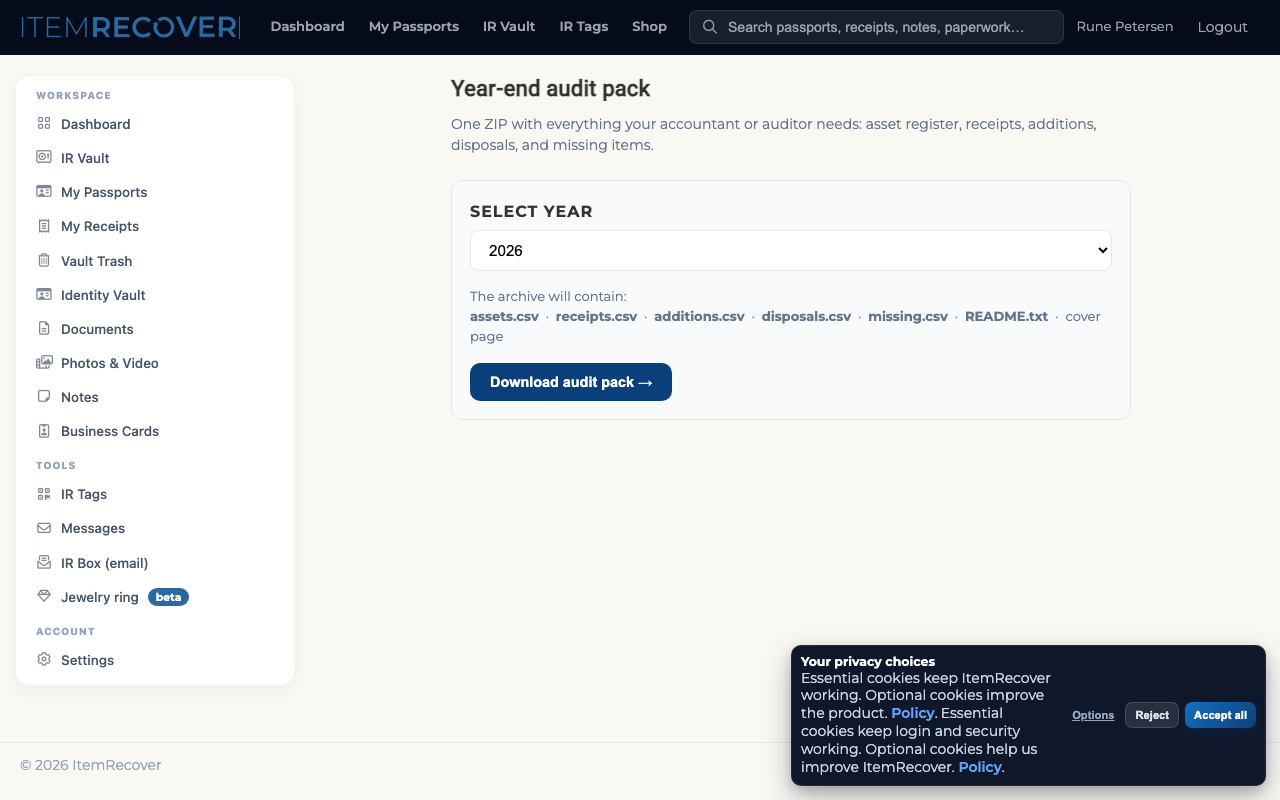
Moment 3 — Year-end audit
"Your accountant wants a list of everything with receipts."
Today
Bookkeeper buys you a whisky to forgive the missing receipts. Random Friday afternoon reconstructing 2025.
With ItemRecover
Open "Year-end audit pack." Choose the year. Click export. 127 items, 892 receipts, depreciation schedule. Three minutes.
Moment 4 — A finder picks up your tool
"Some random found a Hilti drill at the construction site."
Today
Tool sold on Den Blå Avis next week. Or tossed. You never find out.
With ItemRecover
IR Tag scanned. Finder gets a private contact form. Owner gets a notification. Drill comes back. Optional reward sent.
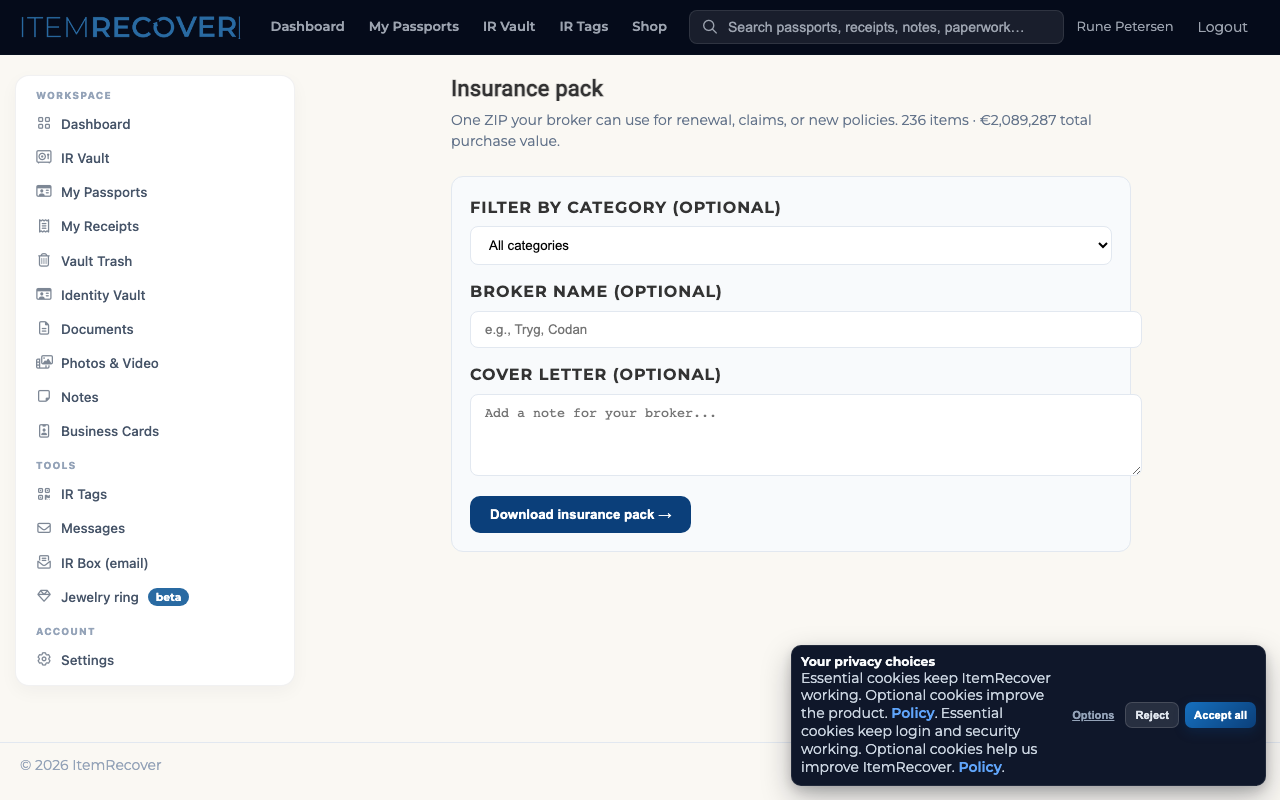
Moment 5 — Insurance asks what you own
"Send us a current asset list for the policy update."
Today
Two days of bookkeeper time. Outdated spreadsheet. Insurance broker complaining the data isn't standardised.
With ItemRecover
Click "Insurance pack." PDF + CSV with photo, serial, purchase date, value, holder for every item. Done in 90 seconds.
All five moments
One product. No incumbent does all five.
Asset tracker + receipt app + insurance docs + QR recovery + bookkeeping export — connected into a single workflow.
New in 2026
The business module that makes it work for teams
Six capabilities shipped this year — each one cutting a specific pain out of the team equipment workflow.
Per-member IR Inbox
Each teammate gets a unique forwarding address (lars+abc@in.itemrecover.com). Receipts auto-route to the right person — no shared inbox chaos.
Multi-workspace
One login, separate data per business. Switch between your construction co, side hustle, and personal in a tap.
Tag-to-member tracking
See which teammate holds which IR Tag at a glance. Loss reports tied to a person, not just a thing.
Snap & Save
Point your phone at any receipt. AI extracts merchant, total, card brand, and date in 5 seconds. Sort later, or never.
Accountant access
Read-only access with batch link and CSV export. The "send my accountant the file" workflow, done.
Snap from anywhere
Floating capture buttons on every screen. Take the photo on the way to the truck — organize tomorrow.
The owner dashboard
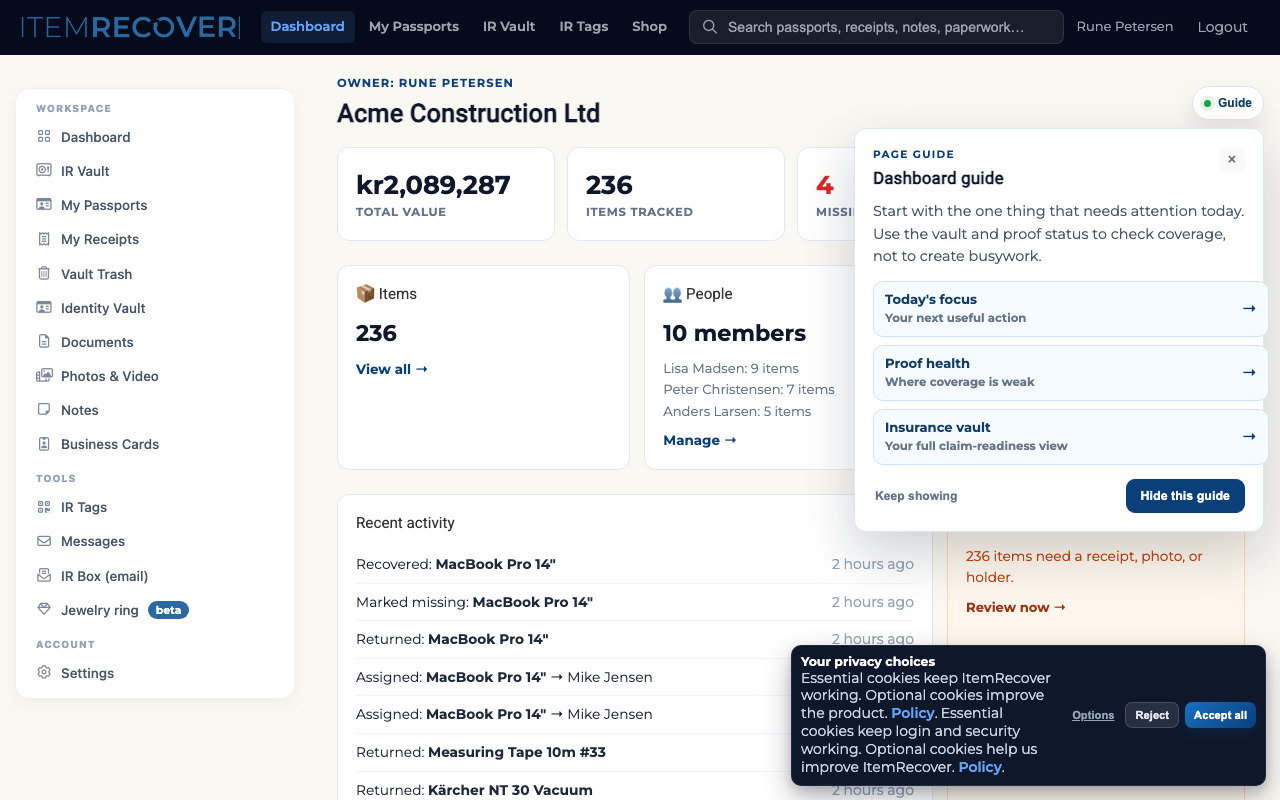
Everything your business owns, on one screen.
Total value. Who has what. What's missing. What needs attention. One click to export for insurance or the accountant. This is the product — the screen you see every Monday morning.
Real data from staging
The screenshot is the qa-construction workspace with €847K of seeded construction equipment — 127 items, 14 members, 4 sites.
Grows with your data
Start with your 10 highest-risk items. The dashboard fills in as you document. No empty-state overwhelm.
Team pricing
Start free — upgrade when ready
Three tiers. No setup fee. Cancel any time. Every tier includes the finder network and IR Tag support.
Team Starter
For 1–10 employee SMEs getting started with equipment tracking.
- ✓ Up to 5 users (Owner + 4)
- ✓ Up to 100 items
- ✓ Assignment + handover history
- ✓ Per-member view ("Mike's items")
- ✓ Member handover sheet (PDF)
- ✓ Accountant share (monthly digest)
- ✓ Full role system (Owner/Manager/Member/Accountant)
Team Pro
The full business product for 10–50 employee firms.
- ✓ Up to 25 users
- ✓ Up to 1,000 items
- ✓ Sites + Departments (multi-location)
- ✓ Owner dashboard (full wow screen)
- ✓ Bulk CSV import (50 laptops in one paste)
- ✓ Insurance pack export (PDF + CSV)
- ✓ Year-end audit pack + depreciation
- ✓ Police-ready theft report
- ✓ Full audit log
- ✓ Slack/Teams notifications
Business
For 50–250 employees with full IT and compliance requirements.
- ✓ Unlimited items + users
- ✓ SSO (Google Workspace, Microsoft 365)
- ✓ Custom branding on exports
- ✓ API access + webhooks
- ✓ Dedicated onboarding session
- ✓ Everything in Team Pro
All plans start free. No credit card required. Create your team account →
What you replace
Replace €100–200/month of separate tools with €75/month for one.
Today (4 tools)
Asset spreadsheet
Sortly, Asset Panda, or a shared Google Sheet
Receipt archive
Expensify, Receipt Bank, or a Dropbox folder
Tile / AirTag recovery
GPS trackers for tools and equipment
Bookkeeper inbox
Hours chasing receipts + spreadsheet prep
Total
~€150/moWith ItemRecover (1 tool)
Asset spreadsheet
Owner dashboard with every item, who has it, and proof status
Receipt archive
Receipt OCR, email-in, drag-drop + accountant share
QR recovery
IR Tags + finder network — any finder can reach you privately
Bookkeeper export
Year-end audit pack, monthly digest, CSV in accountant schema
Team Pro total
€75/moWho uses ItemRecover
Any team where the gear matters and the paperwork doesn't keep up
Start with the items that hurt most when they disappear. Expand when the workflow feels right.
Full audit trail, always on
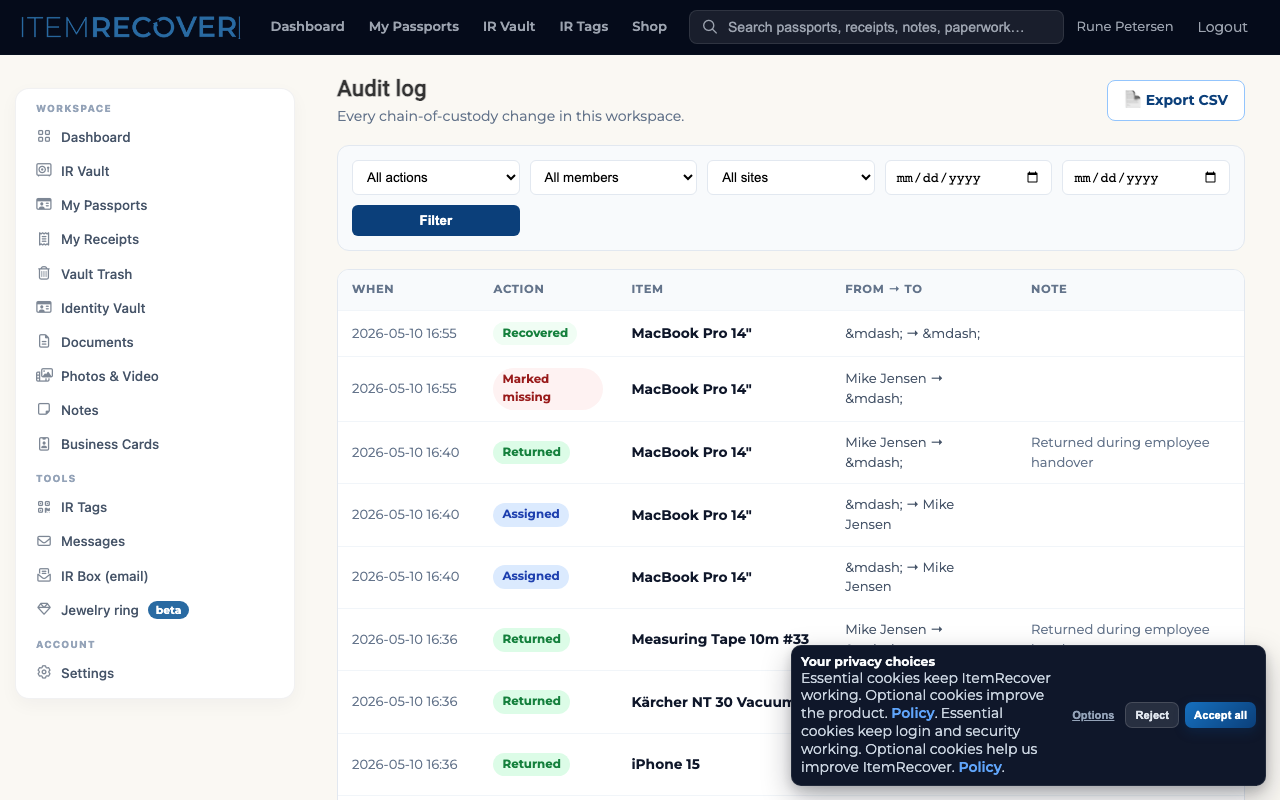
Every assignment, return, and transfer is logged. You can export the full history for any item or any employee at any point.
Optional
Want a 15-min walkthrough first?
Tell us what kind of equipment you want to protect and how your team works today. We'll come back with a practical starting point — not a bloated enterprise process.
Prefer to test it yourself?
You don't need a call. Create a free team account and come back if you have questions.
Best starting points
Remote laptops, toolkits, camera gear, production kits, and other high-value items that move between people.